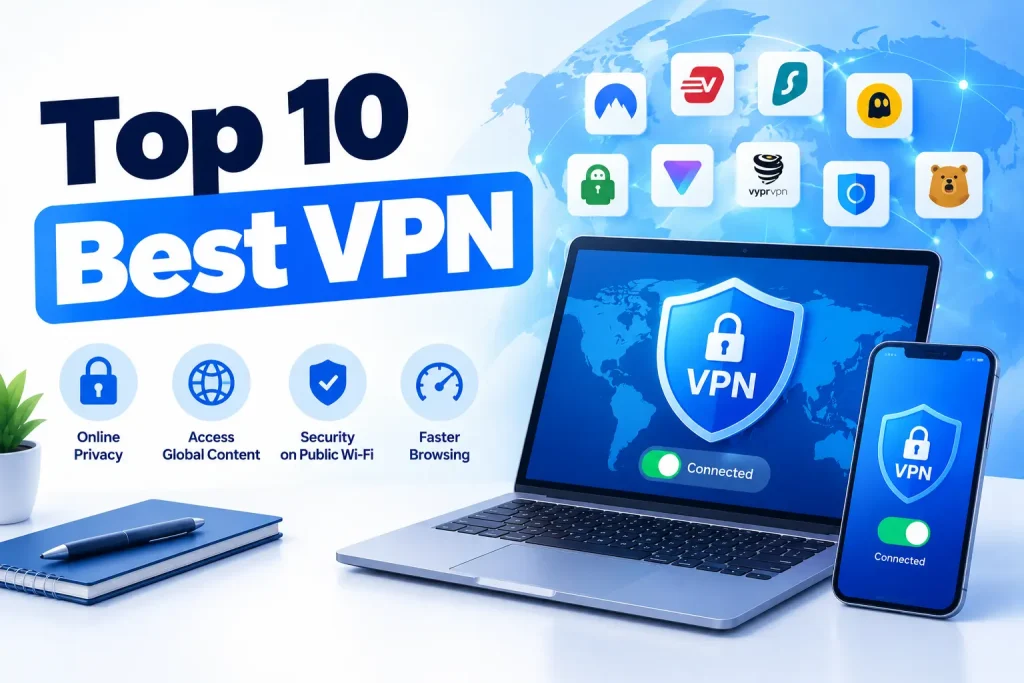
Choosing the right VPN can help you protect your online privacy, secure your internet connection, and access content while traveling. However, not all VPN services offer the same level of security, speed, or value for money. Some focus on privacy, while others are better for streaming, gaming, or connecting multiple devices.
In this guide to the top 10 VPN services, we compare popular providers based on their security features, privacy policies, connection speeds, server networks, device compatibility, and pricing. The goal is to help you find a reliable VPN that matches your needs without paying for features you may never use.
Whether you want to protect your data on public Wi-Fi, watch your favorite shows while abroad, or keep your browsing activity more private, our list of the top 10 best VPN services will help you understand your options.
We also explain what separates the top rated VPN providers from less reliable services, compare free and paid VPN plans, and highlight the best options for different use cases. By the end of this guide, you will have a clearer idea of which VPN is worth considering and what to check before purchasing a subscription.
Table of Contents
Quick Comparison of the Top 10 VPN Providers
The best VPN depends on what you need most: online privacy, fast connections, streaming, or an affordable subscription. Some providers offer advanced security tools, while others focus on ease of use or flexible plans for multiple devices.
The table below compares ten popular VPN services to help you narrow down your options before reading the full reviews.
| VPN Provider | Best For | Key Advantage | Free Plan | Best Feature |
| NordVPN | Overall performance | Broad feature set | No permanent free plan | Threat protection tools |
| Surfshark | Multiple devices | Unlimited simultaneous connections | No permanent free plan | Unlimited device connections |
| ExpressVPN | Beginners | Simple, polished apps | No permanent free plan | Ease of use |
| Proton VPN | Privacy | Privacy-focused approach | Yes | Unlimited data on its free plan, subject to plan terms |
| CyberGhost | Streaming | Specialized server options | No permanent free plan | Streaming-oriented servers |
| Private Internet Access | Advanced users | Extensive customization | No permanent free plan | Flexible security settings |
| IPVanish | Multiple devices | Broad device support | No permanent free plan | Unlimited simultaneous connections |
| Mullvad VPN | Privacy and anonymity | Account registration without a traditional email address | No | Flat-rate pricing |
| Windscribe | Free VPN users | Flexible free and paid plans | Yes | Configurable privacy features |
| hide.me VPN | Flexible VPN options | Free and premium plans | Yes | Multiple security and connection options |
Note: Features, server availability, free-plan limits, and subscription terms may change. Check each provider’s official website for current details before subscribing.
Which VPN Provider Should You Choose?
- Best all-around option: NordVPN is worth considering if you want a broad range of security and privacy features.
- Best for multiple devices: Surfshark and IPVanish offer unlimited simultaneous connections, according to their advertised plans.
- Best free VPN: Proton VPN is a strong starting point for users who want a free plan without a monthly data cap.
- Best for privacy-focused users: Mullvad VPN emphasizes privacy-conscious account registration and straightforward pricing.
- Best for beginners: ExpressVPN is worth considering if you prefer a simple interface and easy setup.
- Best for customization: Private Internet Access offers extensive settings for users who want more control over their connection.
There is no single VPN that is ideal for everyone. Before making a decision, compare the provider’s privacy policy, independent security audits, connection performance, renewal price, and refund terms. These factors will help you identify which of the top ten VPN providers offers the best fit for your needs.
Top 10 Best VPN Services in 2026
The best VPN services in 2026 offer more than just encrypted internet connections. Leading providers combine strong security features, clear privacy policies, reliable performance, and easy-to-use apps. However, the right choice depends on how you plan to use your VPN.
Below, we review ten popular VPN providers, highlighting their main features, advantages, disadvantages, and the users who may benefit most from each service. Whether you need a VPN for everyday browsing, streaming, travel, or online privacy, these reviews will help you compare your options.
1. NordVPN — Best All-Around VPN
NordVPN is a popular choice for users who want a combination of security, speed, and convenience. It offers apps for major operating systems and includes several features designed to protect users from online threats.
Key features:
- NordLynx protocol, based on WireGuard technology.
- AES-256 encryption with supported connection configurations.
- Kill switch to help prevent unprotected internet access if the VPN connection drops.
- Threat Protection features designed to block certain malicious websites, trackers, and unwanted content.
- Specialty servers, including Double VPN and Onion Over VPN, where available.
Pros
- Broad range of privacy and security features.
- Apps for computers, smartphones, and other supported devices.
- Options for streaming, travel, and everyday browsing.
- Additional tools beyond basic VPN encryption.
Cons
- Advanced features may be unnecessary for casual users.
- Long-term promotional prices may differ significantly from renewal prices.
- Some security features vary by operating system and subscription.
Best for: Users looking for a versatile VPN that combines security, performance, and ease of use.
Verdict: NordVPN is a strong all-around candidate for people who want a feature-rich VPN without having to configure every security setting manually.
2. Surfshark — Best VPN for Multiple Devices
Surfshark stands out for allowing unlimited simultaneous VPN connections under its advertised subscription terms. This makes it attractive to families, households, and users who own several computers, phones, and tablets.
Key features:
- Unlimited simultaneous connections.
- WireGuard, OpenVPN, and other supported connection options.
- CleanWeb features designed to block ads, trackers, and malicious content.
- Alternative ID and other additional privacy tools, depending on the plan.
- Apps for major desktop and mobile platforms.
Pros
- One subscription can cover many personal devices.
- A broad set of security and privacy features.
- User-friendly apps for beginners.
- Often competitive promotional pricing on longer subscriptions.
Cons
- Renewal prices can be higher than introductory offers.
- Some advanced tools require particular plans or platforms.
- Performance can vary depending on the selected server and network conditions.
Best for: Families, users with many devices, and anyone who wants to protect multiple personal connections with one subscription.
Verdict: Surfshark is worth considering if device limits are a major concern. Its unlimited simultaneous connections make it especially convenient for households with several internet-connected devices.
3. ExpressVPN — Best VPN for Beginners
ExpressVPN focuses on making online privacy accessible to users who do not want to deal with complicated settings. Its apps are designed around a straightforward connection process, while its supported protocols and security tools provide options for different devices and networks.
Key features:
- Lightway VPN protocol.
- AES-256 encryption and other supported encryption configurations.
- Network Lock kill switch functionality on supported platforms.
- Apps for computers, smartphones, routers, and other compatible devices.
- Server locations across numerous countries.
Pros
- Simple setup and easy-to-understand interface.
- Broad device compatibility.
- Its Lightway protocol is designed for efficient connections.
- Suitable for everyday browsing and travel.
Cons
- Subscription pricing can be higher than that of some competitors.
- Advanced configuration options may be more limited than those of some specialist services.
- Features and device limits depend on the current plan.
Best for: Beginners, travelers, and users who value a straightforward VPN experience.
Verdict: ExpressVPN is a good candidate if ease of use is your main priority. It offers a simple way to establish an encrypted connection without requiring extensive technical knowledge.
4. Proton VPN — Best VPN for Privacy
Proton VPN is a privacy-focused VPN service developed by the team behind Proton Mail. It stands out for its open-source applications, independent security audits, and a free plan that includes unlimited data usage.
Proton VPN
Key features:
- Open-source apps with published independent security audits.
- AES-256 and ChaCha20 encryption, depending on the protocol.
- Secure Core servers that route traffic through multiple servers.
- NetShield filtering for ads, trackers, and malicious domains.
- Free and paid plans with different features and server access.
Pros
- Strong focus on transparency and privacy.
- Free plan without a monthly data cap.
- Advanced security features for paid users.
- Support for major desktop and mobile platforms.
Cons
- The free plan has fewer server locations and features than paid plans.
- Some advanced tools require a premium subscription.
- Performance depends on server availability and network conditions.
Best for: Privacy-conscious users, people looking for a free VPN, and anyone who values transparent security practices.
Verdict: Proton VPN is one of the strongest options to consider if privacy is your main priority. Its free plan also makes it a practical starting point for users who are not ready to pay for a VPN.
5. CyberGhost — Best VPN for Streaming
CyberGhost is designed for users who want a straightforward VPN with a large server network and specialized server options. It is particularly worth considering for streaming, everyday browsing, and travel.
Key features:
- A large international server network.
- Streaming-oriented servers in supported locations.
- Automatic connection options and a kill switch on supported platforms.
- Apps for Windows, macOS, Android, iOS, and other compatible devices.
- Support for modern VPN protocols, including WireGuard and OpenVPN.
Pros
- Easy-to-use applications.
- Specialized servers can simplify choosing a connection for specific tasks.
- Broad geographic coverage.
- A generous money-back guarantee may be available on eligible longer-term plans.
Cons
- Speeds can vary between servers.
- Some additional security features are less extensive than those offered by certain competitors.
- Access to streaming catalogs can change without notice.
Best for: Users who frequently stream video, travel internationally, or want a simple VPN for everyday use.
Verdict: CyberGhost is a reasonable option for streaming-focused users who prefer dedicated server choices. Before subscribing, check whether it supports the streaming services and regions you actually use.
PCWorld
6. Private Internet Access (PIA) — Best VPN for Advanced Users
Private Internet Access (PIA) is a flexible VPN for users who want more control over their connection. Instead of focusing only on simple one-click protection, it offers a range of configuration options for people who want to adjust their VPN settings.
Key features:
- Customizable encryption and connection settings.
- Support for WireGuard and OpenVPN.
- Kill switch and split tunneling on supported platforms.
- Apps for major operating systems.
- Support for P2P traffic.
Pros
- Extensive customization options.
- Suitable for users with specific privacy requirements.
- Supports different connection configurations.
- Often competitive pricing on longer-term plans.
Cons
- The number of settings may overwhelm beginners.
- Advanced configurations require some technical knowledge.
- Promotional prices and renewal costs can differ significantly.
Best for: Experienced VPN users, privacy enthusiasts, and people who prefer to control how their connection works.
Verdict: PIA is worth considering if you want flexibility rather than a VPN that handles every decision automatically. Beginners can use its basic settings, while advanced users have more options to explore.
7. IPVanish — Best VPN for Connecting Multiple Devices
IPVanish is a VPN provider that combines standard privacy features with support for unlimited simultaneous connections under its advertised plans. This makes it convenient for users who want to protect several personal devices without managing separate subscriptions.
Key features:
- Unlimited simultaneous connections under applicable plans.
- Support for WireGuard and other VPN protocols.
- Encryption and connection protection features.
- Apps for computers, smartphones, and other supported devices.
- Options for everyday browsing and selected streaming use cases.
Pros
- No fixed simultaneous-connection limit on its advertised plans.
- Broad platform support.
- Useful for users with several personal devices.
- Straightforward setup for everyday VPN use.
Cons
- The interface and features may be less appealing to some users than those of competitors.
- Performance depends on the server and internet connection.
- Some additional tools may require a particular subscription.
Best for: Users with several devices who want to manage VPN protection through one account.
Verdict: IPVanish deserves consideration if device coverage is more important to you than advanced privacy features. Compare its current pricing and security policies with Surfshark before making a final decision.
8. Mullvad VPN — Best VPN for Privacy and Anonymous Signup
Mullvad VPN takes a straightforward approach to privacy. It allows users to create an account without providing a traditional email address and uses a flat-rate pricing model rather than relying on heavily discounted long-term subscriptions.
Key features:
- Account registration using an account number rather than a traditional email-based signup.
- WireGuard support and modern encryption.
- Kill switch and other connection protection features.
- Flat-rate subscription pricing.
- Support for privacy-focused connection configurations.
Pros
- Strong emphasis on minimizing personal information during registration.
- Simple, predictable pricing.
- Suitable for users who value privacy over extra bundled features.
- A transparent, privacy-focused service model.
Cons
- Smaller server network than some major competitors.
- Limited appeal for users seeking extensive entertainment or security bundles.
- Streaming access may be less consistent than with streaming-focused services.
Best for: Privacy-conscious users who want minimal account information and straightforward pricing.
Verdict: Mullvad is a compelling choice if privacy is more important to you than promotional discounts, bundled extras, or extensive streaming support. Its approach also makes it a useful alternative to conventional subscription-focused VPN services.
PCWorld
9. Windscribe — Best VPN for Free and Flexible Plans
Windscribe offers free and paid VPN plans, along with a selection of customizable privacy features. It can be a good starting point for users who want to try a VPN before committing to a long-term subscription.
Key features:
- Free and paid subscription options.
- Support for modern VPN protocols.
- R.O.B.E.R.T. filtering features for supported plans and platforms.
- Split tunneling on supported devices.
- Apps and browser extensions for compatible platforms.
Pros
- A free plan is available.
- Flexible settings for users who want more control.
- Useful privacy and filtering tools.
- Paid plans offer additional options beyond the free tier.
Cons
- Free-plan data allowances and server access may be limited.
- Some features differ between platforms.
- Users who need unlimited access to every server location may prefer a paid plan.
Best for: Beginners, budget-conscious users, and people who want to experiment with VPN features before paying.
Verdict: Windscribe is worth considering if you want flexibility and a free option. Review the current data allowance and included locations before relying on it for regular streaming or other data-intensive activities.
10. hide.me VPN — Best VPN for Flexible Plan Options
hide.me VPN is another option for users looking for a balance between privacy, security, and flexible subscription choices. It offers free and premium plans, with different limits and features depending on the selected tier.
Key features:
- Free and paid VPN plans.
- Support for modern VPN protocols.
- Security features such as a kill switch on supported platforms.
- Apps for major operating systems.
- Options for different connection and privacy requirements.
Pros
- A free plan is available.
- Multiple protocol options.
- Suitable for basic browsing and everyday privacy needs.
- Premium plans provide additional functionality.
Cons
- The free plan has limitations compared with premium access.
- Available features depend on the operating system and subscription.
- Users should compare server access and performance with other providers before subscribing.
Best for: Users who want to compare free and premium VPN options without immediately committing to an expensive plan.
Verdict: hide.me is worth adding to your shortlist if you want a flexible VPN service with a free starting option. Check the current plan restrictions and supported features to determine whether it meets your needs.
Which of the Top 10 VPN Services Is Right for You?
Each provider in this ranking serves a slightly different purpose. NordVPN is a strong all-around candidate, Surfshark and IPVanish are worth considering for multiple devices, and Proton VPN and Mullvad stand out for privacy-focused users. CyberGhost is an option for streaming, while PIA appeals to users who want more control over their settings.
Windscribe and hide.me offer free plans for people who want to start without paying, although their limitations should be checked carefully.
Before choosing a VPN, compare its security features, privacy policy, independent audits, connection performance, and renewal price. The most expensive service is not automatically the best, and a free VPN is not necessarily unsafe. The key is to select a provider whose verified features match your priorities.
Editorial note: VPN features, pricing, device limits, and streaming compatibility can change. Confirm current details with each provider before publishing a final comparison or making a purchase.
How We Ranked the Top Rated VPN Providers
Choosing the top rated VPN providers requires more than comparing prices or counting server locations. A good VPN should protect your privacy, provide a stable connection, and offer features that match your needs. It should also be transparent about how it handles user data and what customers can expect from their subscriptions.
To compare the ten VPN services in this guide, we focus on five main criteria: security, privacy, speed, server coverage, and value for money. These factors help distinguish well-rounded services from VPNs that perform well in only one area.
Security and Encryption
Security is one of the most important factors when choosing a VPN. A VPN encrypts traffic between your device and the VPN server, helping protect your data from people monitoring the local network. However, the level of protection depends on the protocols, encryption settings, and additional security features the provider supports.
When evaluating VPN security, we look at:
- Modern VPN protocols: Support for options such as WireGuard and OpenVPN.
- Strong encryption: Secure encryption configurations appropriate for the selected protocol.
- Kill switch: A feature that can block internet traffic if the VPN connection unexpectedly drops.
- DNS and IP leak protection: Tools that help prevent requests or connection details from being exposed outside the VPN tunnel.
- Additional security features: Malware-domain filtering, tracker blocking, and multi-hop connections where available.
We also consider whether security features are enabled by default and whether they work consistently across supported operating systems.
Privacy Policies and Independent Audits
A VPN can encrypt your connection without necessarily providing strong privacy. The provider may still collect information about your account, device, or activity. That is why we examine each service’s privacy policy and its approach to collecting and retaining user data.
Important considerations include:
- No-logs policy: Whether the provider claims not to retain browsing activity or connection records that could identify a user’s online behavior.
- Independent audits: Whether an external organization has assessed the provider’s privacy claims, applications, infrastructure, or security controls.
- Company transparency: Whether the provider clearly explains its ownership, data practices, and relevant legal obligations.
- Account privacy: Whether users can minimize the personal information required to create and maintain an account.
- Data handling practices: What information is collected, how long it is retained, and under what circumstances it may be disclosed.
Independent audits can increase confidence in a VPN’s claims, but their scope and date matter. An audit of an application does not automatically verify the entire server network or every aspect of a company’s privacy practices.
We give greater consideration to providers that explain their policies clearly and support important claims with verifiable evidence.
Speed and Connection Stability
A VPN can improve privacy, but it may also reduce internet speed because traffic must travel through an additional server and undergo encryption. The impact varies depending on your internet connection, server distance, protocol, and network congestion.
When comparing VPN performance, we consider several factors:
- Download speed: Important for streaming, downloading files, and everyday browsing.
- Upload speed: Useful for video calls, cloud backups, and sharing large files.
- Latency (ping): Particularly important for online gaming and real-time communication.
- Connection stability: Whether the VPN maintains a reliable connection during extended use.
- Long-distance performance: How well the service performs when connecting to servers in other countries.
A VPN that performs well on a nearby server may deliver different results over a long-distance connection. For this reason, speed should not be judged by a single advertised figure.
Actual performance testing should use consistent conditions and multiple server locations. If a provider’s speed has not been independently tested under comparable conditions, its performance should be treated as an estimate rather than a confirmed ranking advantage.
Server Network and Location Coverage
The size and distribution of a VPN’s server network affect which locations users can connect to and how easily they can find a suitable server.
However, a larger network does not automatically mean better performance. Server capacity, congestion, routing quality, and the distance between the user and the selected location are also important.
We compare VPN providers based on:
- Country coverage: The number of countries where servers are available.
- Location variety: Whether users can choose locations that meet their specific needs.
- Server availability: Whether the advertised locations are accessible on the relevant plan.
- Specialty servers: Options for activities such as P2P traffic or multi-hop connections.
- Geographic flexibility: The ability to connect through different regions when traveling or using location-dependent online services.
We also consider whether a provider clearly explains its server infrastructure. Some VPNs use virtual locations, which means a server’s physical location may differ from the country assigned to its IP address.
For streaming, the availability of a particular country or server does not guarantee access to every streaming platform. Services regularly update their VPN detection systems, so compatibility can change.
Pricing, Renewal Costs, and Refund Policies
Price matters, but the cheapest advertised VPN is not always the best value. Some providers offer large introductory discounts that apply only to the first subscription period. Renewal prices may be considerably higher.
To assess value for money, we consider:
- Subscription costs: Monthly and long-term plan prices.
- Renewal pricing: What customers may pay after the introductory period.
- Included features: Whether essential security tools are available on the chosen plan.
- Simultaneous connections: How many devices can use the subscription at once.
- Free plans and trials: Whether users can test the service before paying.
- Refund policies: The length of the money-back guarantee and any relevant restrictions.
We also consider whether a VPN provides enough value for its price. A more expensive service may be worthwhile if it offers features you genuinely need, but casual users may not benefit from paying extra for advanced tools.
Before purchasing, check the provider’s official pricing page and subscription terms. Prices, discounts, payment options, and refund conditions can change, so they should be verified at the time of publication.
Our Approach to Comparing VPN Services
The final ranking considers the balance of all five criteria rather than relying on a single feature. A provider with excellent privacy controls may be a better fit for security-conscious users, while another may be more suitable for streaming or protecting multiple devices.
We also distinguish between independently verified information and provider-reported claims. Security audits, published privacy policies, documented features, and reproducible performance tests offer stronger evidence than marketing statements alone.
Our goal is to help readers choose a VPN based on their actual needs, not simply the number of features a provider advertises. The best VPN service is one that offers an appropriate level of privacy and security, performs reliably for your intended activities, and provides clear value at its current price.
Best VPN Services by Use Case
Not every VPN is designed for the same purpose. Some services focus on privacy and security, while others are better suited to streaming, gaming, torrenting, or connecting multiple devices. Choosing a VPN based on how you plan to use it can help you avoid paying for features you do not need.
Below, we break down the best VPN services by use case and explain which features matter most for each activity.
Best VPN for Streaming
A good streaming VPN should provide reliable connections, consistent speeds, and servers in locations relevant to the content you want to watch. It should also offer easy-to-use apps for computers, smartphones, and supported streaming devices.
Top choices:
- NordVPN: A strong all-around option for streaming and everyday browsing.
- ExpressVPN: Worth considering for its straightforward apps and broad device support.
- CyberGhost: Offers streaming-oriented server options in supported locations.
When choosing a VPN for streaming, look for fast connections, reliable server availability, and compatibility with your preferred platforms. Keep in mind that streaming services frequently update their VPN detection systems, so access to a particular library is never guaranteed.
A VPN can help you connect through another country, but it does not automatically grant access to every regional catalog. Some streaming platforms restrict VPN use under their terms of service.
Best VPN for Privacy and Security
If protecting your online privacy is your main priority, focus on the provider’s data-handling practices rather than relying only on encryption claims. A trustworthy VPN should explain what information it collects, how long it retains that information, and whether its privacy claims have been independently assessed.
Top choices:
- Proton VPN: A strong option for users who value transparency, open-source apps, and privacy-focused features.
- Mullvad VPN: Stands out for its privacy-conscious account registration and straightforward pricing.
- NordVPN: Offers a broad selection of security features, including specialty connection options.
Look for a clear no-logs policy, independent security audits, a kill switch, and protection against DNS leaks. Consider whether the provider collects unnecessary personal information during registration.
Remember that a VPN does not make you completely anonymous. Websites can still identify you through account logins, browser fingerprinting, cookies, and other tracking methods. A VPN is one layer of a broader privacy strategy, not a replacement for safe browsing habits.
Best VPN for Gaming
Gaming requires a stable internet connection and low latency. A VPN may help in specific situations, such as connecting through a more suitable route to a game server or protecting your public IP address from other players. However, it can also increase latency if the VPN server is far away or congested.
Top choices:
- NordVPN: Worth testing for its range of server locations and modern connection protocol.
- Surfshark: A practical option for gamers who also want to protect multiple devices.
- ExpressVPN: Offers apps designed to make connecting to a VPN straightforward.
When comparing gaming VPNs, pay attention to:
- Latency: Lower ping generally means more responsive gameplay.
- Connection stability: Fewer interruptions are important during competitive matches.
- Server locations: Choose a VPN server geographically close to the game server when possible.
- Download and upload speeds: These can matter for game updates, downloads, and voice chat.
A VPN will not automatically reduce ping or eliminate lag. Before committing to a subscription, test several nearby servers and compare your connection with and without the VPN. If your internet route is already efficient, using a VPN may make gaming performance worse.
Best VPN for Torrenting and P2P
Users who regularly download or share files through peer-to-peer (P2P) networks should look for a VPN that explicitly supports this activity. Privacy protection is important, but so are connection stability, upload performance, and protection against accidental IP exposure.
Top choices:
- Private Internet Access (PIA): Offers P2P support and extensive connection settings.
- NordVPN: Worth considering for its security features and specialty server options.
- Mullvad VPN: Appeals to privacy-conscious users who want straightforward account registration.
Before choosing a VPN for torrenting, check for:
- P2P support on the servers you intend to use.
- A reliable kill switch.
- DNS and IP leak protection.
- A clear privacy policy and, where available, independent audit evidence.
- Sufficient upload performance for your needs.
Avoid assuming that every server supports P2P traffic. Some providers restrict file-sharing activities to specific locations or apply other conditions.
A VPN can help conceal your public IP address from other peers, but it does not make copyright infringement legal. Use P2P networks responsibly and follow applicable laws.
Best VPN for Travel and Public Wi-Fi
Travelers often connect to hotel networks, airport Wi-Fi, cafés, and other public hotspots. These networks may be poorly configured or shared by many unfamiliar devices. A VPN can encrypt traffic between your device and the VPN server, adding protection when using these connections.
Top choices:
- ExpressVPN: A convenient option for travelers who want simple apps across different devices.
- NordVPN: Offers additional security features and a broad selection of server locations.
- Surfshark: Useful for travelers who need to protect several devices under one subscription.
For travel, prioritize automatic connection options, a kill switch, mobile app support, and servers in countries you regularly visit. It is also helpful to choose a provider with clear instructions for connecting on restricted or unreliable networks.
A VPN does not protect you from every threat on public Wi-Fi. Keep your operating system updated, avoid suspicious links, use multifactor authentication, and verify website addresses before entering sensitive information.
If you are traveling to a country where VPNs are restricted, check local laws and current entry requirements before relying on the service.
Best VPN for Multiple Devices
Many people use a laptop, smartphone, tablet, smart TV, and other connected devices every day. A VPN with a generous simultaneous-connection limit can make it easier to protect these devices without paying for multiple subscriptions.
Top choices:
- Surfshark: Advertises unlimited simultaneous VPN connections.
- IPVanish: Also advertises unlimited simultaneous connections under its applicable plans.
- NordVPN: A useful alternative for users who want multiple connections alongside additional security features.
When comparing these providers, check the number of simultaneous connections included in the current subscription. Unlimited connections do not necessarily mean that every device or configuration is supported without restrictions.
Also consider whether the VPN has dedicated apps for your devices and whether it supports router installation. A compatible router can protect multiple devices on a home network, including some devices that cannot run VPN apps directly. Router setup and supported features vary by provider.
For households with many devices, Surfshark and IPVanish are particularly worth comparing because of their advertised unlimited simultaneous connections.
Best VPN for Beginners
If you have never used a VPN before, a complicated interface can make an otherwise good service frustrating. Beginners generally benefit from simple apps, automatic server selection, clear connection status, and security features that work without extensive configuration.
Top choices:
- ExpressVPN: Its straightforward interface makes connecting and switching locations easy.
- NordVPN: Offers one-click connections alongside more advanced features for users who want them.
- CyberGhost: Provides a user-friendly interface and specialized server options.
A beginner-friendly VPN should make it easy to:
- Connect and disconnect with one action.
- Select a server location without complicated settings.
- Enable the kill switch and other essential protections.
- Install apps on commonly used devices.
- Contact customer support when troubleshooting is necessary.
You do not need to understand every VPN protocol or encryption setting to use a VPN effectively. Start with the recommended configuration, choose a nearby server for everyday browsing, and explore advanced settings only when you have a specific reason to change them.
Which VPN Is Best for Your Needs?
The right choice depends on which features matter most to you. Use this quick guide to narrow down your options.
| Your Main Priority | VPNs Worth Considering |
| All-around performance | NordVPN, ExpressVPN |
| Streaming | NordVPN, ExpressVPN, CyberGhost |
| Privacy and transparency | Proton VPN, Mullvad VPN |
| Gaming | NordVPN, Surfshark |
| Torrenting and P2P | Private Internet Access, NordVPN, Mullvad VPN |
| Travel and public Wi-Fi | ExpressVPN, NordVPN |
| Multiple devices | Surfshark, IPVanish |
| Beginners | ExpressVPN, CyberGhost |
| Free VPN access | Proton VPN, Windscribe, hide.me |
These are recommendations based on advertised features and general product positioning, not a guarantee that every service will perform best in every situation. Streaming access, connection speeds, and available features can change.
Our advice: Start by identifying your main reason for using a VPN, then compare two or three providers that fit that purpose. Review their privacy policies, current prices, device limits, and refund terms before subscribing. This approach will help you choose a VPN that meets your needs without paying extra for unnecessary features.
Free VPN vs. Paid VPN: Which Is Better?
When comparing the top 10 best VPN services, one of the first decisions is whether to choose a free VPN or pay for a premium subscription. Both options can help protect your internet connection, but they often differ in server availability, speed, data limits, and additional security features.
A free VPN can be enough for occasional browsing or basic privacy protection. A paid VPN is usually a better choice if you need consistent performance, more server locations, or features for streaming and frequent travel.
The right option depends on how often you use a VPN and what you expect it to do.
What Do You Get with a Free VPN?
Free VPN services allow you to use a VPN connection without paying a monthly subscription. Some are offered by established providers as a way to introduce users to their products, while others operate with more restrictive plans.
Proton VPN, Windscribe, and hide.me are examples of providers that offer free VPN options. However, their free plans have different limits and features.
Common characteristics of free VPN plans include:
- Limited server locations: You may have fewer countries or servers to choose from.
- Data restrictions: Some providers impose monthly data allowances, although others, such as Proton VPN, offer unlimited data on their free plans.
- Limited features: Advanced security tools or specialty servers may require a paid subscription.
- Variable performance: Server congestion and plan restrictions can affect connection speeds.
- Fewer streaming options: Free servers may not reliably access region-specific streaming catalogs.
Despite these limitations, a free VPN can be a reasonable starting point. If you mainly want to encrypt your connection while browsing on public Wi-Fi or occasionally use a different IP address, you may not need a premium subscription.
The key is to choose a provider with a clear privacy policy and a credible security track record. Avoid unknown VPN apps that promise unlimited protection without explaining how they handle your data or finance their service.
Advantages of Premium VPN Services
Paid VPN services generally offer more flexibility and are better suited to people who use a VPN regularly. A subscription may provide access to additional servers, more advanced features, and fewer restrictions than the provider’s free plan.
Here are the main advantages of premium VPNs.
1. More server locations
Paid plans usually provide access to a broader range of countries and locations. This can be useful when traveling, connecting to a particular region, or looking for a less congested server.
2. Better options for streaming
Some premium VPNs actively maintain infrastructure intended for streaming. Services such as NordVPN, ExpressVPN, and CyberGhost are worth considering if you want to access streaming platforms while traveling. However, access to specific services is never guaranteed.
3. More consistent everyday use
Premium plans may provide greater server choice and fewer usage restrictions. Actual speeds still depend on your internet connection, the distance to the server, and network conditions.
4. Additional security and privacy features
Depending on the provider and subscription, premium features may include multi-hop connections, advanced filtering, customizable connection settings, or additional protection against malicious websites.
5. Support for multiple devices
Many paid VPN plans support several simultaneous connections. Surfshark and IPVanish, for example, advertise unlimited simultaneous connections under their applicable plans.
6. More options for troubleshooting
Paid services may offer customer support through live chat, email, or help centers. Availability and response times vary by provider.
A premium VPN is generally worth considering if you need reliable access to different server locations, use a VPN every day, or want more control over your connection.
However, paying for a VPN does not automatically guarantee better privacy. The provider’s policies, security practices, and independent assessments remain important.
Are Free VPNs Safe to Use?
Some free VPNs are safe to use, but the category includes services with very different privacy and security standards. The fact that an app is available for free does not automatically make it trustworthy or dangerous.
The most important question is how the provider operates and what it does with your data.
Before installing a free VPN, check the following:
- Privacy policy: Does the provider clearly explain what information it collects and retains?
- Security reputation: Is there credible information about its security practices and ownership?
- Independent audits: Has an external organization assessed its applications, infrastructure, or privacy claims?
- Permissions: Does the app request access that appears unnecessary for its VPN functionality?
- Business model: Is it clear how the company funds the service?
- Software updates: Does the provider maintain its applications and address security issues?
Be particularly cautious with unfamiliar apps that make exaggerated claims about complete anonymity or total protection from online threats.
A VPN also cannot replace antivirus software or protect you from every phishing attack. It primarily protects traffic between your device and the VPN server; it does not make malicious downloads, fraudulent websites, or compromised accounts harmless.
For users who want a free service from an established provider, Proton VPN is worth considering because its free plan offers unlimited data. Windscribe and hide.me are other options to evaluate, but compare their current data allowances, server access, and feature restrictions before choosing.
Free VPN vs. Paid VPN: Quick Comparison
| Feature | Free VPN | Paid VPN |
| Subscription cost | No subscription fee | Monthly or long-term fee |
| Server locations | Often limited | Usually broader access |
| Data allowance | May be limited or unlimited | Usually more generous |
| Connection speed | Depends on provider and server load | Depends on provider and server load |
| Streaming support | Often more limited | Often more options |
| Advanced features | May be restricted | More features may be included |
| Simultaneous connections | Depends on the free plan | Depends on the subscription |
| Customer support | Often limited | May include additional support options |
| Best for | Occasional browsing and basic needs | Regular use and more demanding activities |
These are general differences, not universal rules. Some free VPN plans offer unlimited data, and some paid plans still impose restrictions.
Which Option Should You Choose?
Choose a free VPN if you need basic protection for occasional browsing, want to try a service before paying, or have a limited budget. A reputable free plan can meet these needs without requiring a subscription.
Choose a paid VPN if you regularly stream content, travel internationally, connect many devices, or need a wider selection of servers and additional features.
For a free starting point, consider Proton VPN, Windscribe, or hide.me. If you need a more comprehensive paid service, compare NordVPN, Surfshark, and ExpressVPN based on your priorities and budget.
Before subscribing, check the renewal price rather than focusing only on the introductory offer. Also review the refund policy and confirm which features are included in your chosen plan.
Final recommendation: A free VPN is a sensible choice for basic use when the provider is trustworthy. A paid VPN is generally more suitable for frequent use and demanding tasks. In either case, prioritize a transparent privacy policy and credible security practices over the number of features advertised.
How to Choose the Best VPN for Your Needs
With so many VPN services available, choosing the right one can feel overwhelming. The top rated VPN providers often advertise similar features, including encrypted connections, global server networks, and privacy protection. However, their performance, pricing, and available tools can differ significantly.
The best approach is to identify what you need from a VPN and compare providers based on those priorities. Follow these steps to find a service that offers the right balance of security, performance, and value.
Define Your Main Reason for Using a VPN
Start by deciding why you want a VPN. Different activities require different features, so knowing your main goal will help you narrow down the options.
- Online privacy: Look for a clear no-logs policy, independent security audits, and strong encryption.
- Streaming: Prioritize reliable speeds, suitable server locations, and compatibility with your preferred platforms.
- Gaming: Focus on low latency, connection stability, and servers close to the game servers you use.
- Torrenting: Choose a provider that supports P2P traffic and offers a kill switch and leak protection.
- Travel: Look for reliable mobile apps, a broad server network, and automatic connection options.
- Multiple devices: Compare simultaneous-connection limits and router compatibility.
- Everyday browsing: A straightforward VPN with reliable protection and reasonable pricing may be all you need.
For example, Proton VPN or Mullvad VPN may appeal to privacy-conscious users, while Surfshark is worth considering if you want to connect many devices. If you need a VPN for several different activities, a versatile service such as NordVPN may be a suitable starting point.
Check Device Compatibility
Before purchasing a subscription, make sure the VPN supports all the devices you intend to protect. Most major VPN providers offer applications for popular operating systems, but specific features and connection options can vary by platform.
Check compatibility with:
- Windows: Look for a dedicated desktop application with a kill switch and leak protection.
- macOS: Confirm that the application supports your version of macOS and includes the features you need.
- Android and iOS: Check mobile app functionality, automatic connection options, and battery impact.
- Linux: If you use Linux, verify which distributions and connection methods are supported.
- Smart TVs and streaming devices: Check for a dedicated app, router support, or another compatible setup method.
- Routers: Installing a VPN on a compatible router can protect multiple devices through one network connection.
Pay attention to simultaneous connections as well. Some subscriptions limit the number of devices that can use the VPN at the same time, while providers such as Surfshark and IPVanish advertise unlimited simultaneous connections under their applicable plans.
If you want to protect your entire household, compare these limits before choosing a subscription.
Compare Subscription Prices and Renewal Terms
Price is an important factor, but the lowest advertised price does not always represent the best value. Many VPN providers offer discounts for longer subscriptions, while monthly plans typically cost more per month.
When comparing prices, consider the following:
- Monthly subscription cost: Useful if you only need a VPN for a short period.
- Long-term pricing: Can reduce the effective monthly cost but requires a longer commitment.
- Renewal price: The cost after the initial promotional period may be substantially higher.
- Money-back guarantee: Check the refund period and eligibility conditions.
- Free plans and trials: These can help you evaluate a service before paying.
- Included features: Make sure essential tools are available with the subscription you choose.
Do not compare VPNs based only on their introductory prices. Check the full billing terms and calculate how much you will pay over the entire subscription period.
If you are unsure whether you need a premium VPN, start with a reputable free plan or a short subscription. You can upgrade later if you need more server locations, additional features, or fewer restrictions.
Review Privacy Policies and Security Features
A VPN’s main purpose is to protect your internet connection and help reduce the exposure of your online activity. However, using a VPN means placing some trust in the provider, so its privacy practices deserve careful attention.
Before choosing a service, review these key features.
No-logs policy
Look for a clear explanation of what the provider does and does not record. A no-logs claim should specify how browsing activity, connection metadata, and other information are handled.
Independent security audits
Independent assessments can provide additional evidence about a provider’s privacy or security claims. Check what was audited, when the assessment took place, and whether the findings are publicly available.
Kill switch
A kill switch can block internet traffic if the VPN connection unexpectedly disconnects. This helps reduce the risk of your device sending traffic through your regular internet connection without protection.
DNS and IP leak protection
These safeguards help prevent certain connection details from being exposed outside the VPN tunnel. You can also use reputable leak-testing tools to check your setup.
Modern VPN protocols
WireGuard and OpenVPN are widely used protocols. The best option depends on your device, connection conditions, and the provider’s implementation.
Additional privacy tools
Some providers offer multi-hop connections, tracker blocking, or filtering for malicious domains. These features can be useful, but they do not replace antivirus software, secure account practices, or protection against phishing.
Remember that a VPN does not make you completely anonymous. Websites can still track you through account logins, cookies, browser fingerprinting, and other techniques.
Test the VPN Before Committing
Even a highly rated VPN may not perform equally well on every device or network. Testing the service under your own conditions is one of the best ways to determine whether it meets your needs.
If a free trial or money-back guarantee is available, use that period to evaluate the VPN before committing to a long-term subscription.
Here is what to test:
- Connection speed: Compare download and upload speeds with and without the VPN.
- Latency: Check ping if you plan to use the VPN for gaming or video calls.
- Server performance: Try nearby servers and locations you expect to use regularly.
- Connection stability: Check whether the VPN disconnects during normal browsing or downloads.
- App usability: Make sure the interface is easy to navigate on your devices.
- Essential security features: Confirm that the kill switch and other relevant protections work as expected.
- Streaming compatibility: If streaming matters, test your preferred services rather than assuming they will work.
Keep testing conditions consistent when comparing speeds. Internet congestion, server distance, and your own network can influence the results.
Also, read the refund terms before purchasing. Some guarantees exclude particular payment methods, renewals, or other circumstances.
Final Tips for Choosing the Right VPN
Before making your final decision, compare two or three providers that match your main use case. A short checklist can help you avoid choosing a VPN based solely on advertising or promotional pricing.
- Does the provider have a clear privacy policy?
- Are its security claims supported by credible evidence?
- Does it support all your devices?
- Is its performance suitable for your intended activities?
- Are the server locations you need available?
- Is the renewal price affordable?
- Can you test the service or request a refund under clear conditions?
The best VPN is not necessarily the most expensive or the one with the largest server network. It is the service that provides the privacy, security, performance, and device support you actually need at a price you can justify.
Take time to compare the details, verify current subscription terms, and test the connection where possible. This will help you choose a VPN with confidence rather than relying on rankings alone.
Frequently Asked Questions About the Top 10 VPN Services
Choosing between the top 10 VPN services can be difficult, especially if you are new to VPN technology. The answers below cover the most common questions about VPN security, speed, pricing, streaming, and privacy to help you make an informed decision.
What Is the Best VPN Service Overall?
NordVPN is a strong all-around choice for users who want a combination of security features, connection speeds, privacy tools, and broad everyday usability. Surfshark is worth considering if you want to protect multiple devices under one subscription, while Proton VPN is an attractive option for privacy-focused users.
The best VPN depends on your priorities, budget, preferred devices, and the features you need. Compare several providers before choosing a long-term plan.
Are VPN Services Really Worth It?
Yes, a VPN can be useful if you regularly connect to public Wi-Fi, want to reduce the amount of browsing information visible to your internet service provider, or need a more private internet connection.
A VPN encrypts traffic between your device and the VPN server, helping protect it from certain types of network monitoring. It also replaces your public IP address with the VPN server’s address for websites you visit.
However, a VPN does not make you completely anonymous online. Websites can still identify you through cookies, account logins, browser fingerprinting, and other tracking methods.
What Is the Best Free VPN?
Proton VPN, Windscribe, and hide.me are worth considering if you want to start with a free VPN plan. Their available features, data limits, server options, and device restrictions may differ.
- Proton VPN: A good option for users who prioritize privacy and want a free plan without a monthly data cap, subject to its current terms.
- Windscribe: Worth considering if you want flexible settings and a free plan with a limited data allowance.
- hide.me: An alternative for users looking for a free entry point into VPN protection.
Free VPN plans often have fewer server locations or advanced features than paid subscriptions. Before signing up, check the current plan restrictions and privacy policy.
Which VPN Is Best for Streaming?
NordVPN, ExpressVPN, and CyberGhost are popular options to investigate for streaming. They offer features designed to support connections across different locations, but access to individual streaming platforms can vary.
A VPN does not guarantee access to every streaming library. Streaming services may block VPN server addresses, and their content availability depends on licensing agreements and regional restrictions.
If streaming is your main priority, check whether the VPN works with your specific services and devices before purchasing a subscription.
Does a VPN Slow Down Your Internet Connection?
Yes, a VPN can reduce internet speed because your traffic is encrypted and routed through an additional server. However, the impact varies depending on the VPN provider, server distance, network congestion, encryption protocol, and your original connection speed.
To minimize slowdowns:
- Choose a server geographically close to you.
- Use a modern VPN protocol, such as WireGuard or NordLynx where available.
- Try another server if your connection becomes unstable.
- Use a wired connection or a reliable Wi-Fi network when possible.
A well-performing VPN may have only a modest effect on everyday browsing, but the results depend on your setup.
Can I Use One VPN Subscription on Multiple Devices?
Yes, most leading VPN providers support multiple devices under one subscription. However, the number of simultaneous connections depends on the service and plan.
Surfshark is especially worth considering if you want to protect many personal devices without managing separate subscriptions. IPVanish and other providers may also suit households with several computers and mobile devices.
Before buying, confirm the current connection limit and whether your router, smart TV, or other devices require a separate setup.
Is a VPN Legal?
VPNs are legal in many countries, but the rules vary by jurisdiction. Some countries restrict VPN use or require providers to meet specific regulations.
Using a VPN also does not make illegal activities legal. You remain responsible for following applicable laws and the terms of the websites and services you use.
If you travel internationally, check the local rules before connecting to a VPN.
Can a VPN Protect Me from Viruses and Malware?
No. A VPN is not a replacement for antivirus software or other security tools.
A VPN primarily protects network traffic between your device and the VPN server. It does not automatically prevent you from downloading malicious files, installing harmful applications, or falling for phishing scams.
For better protection, combine a reputable VPN with updated software, strong passwords, multi-factor authentication, and antivirus protection where appropriate. Some VPN subscriptions include additional security features, but their scope varies by provider.
What Is the Difference Between a VPN and a Proxy?
A VPN typically encrypts network traffic from your device through the VPN tunnel, while a proxy generally forwards selected traffic through an intermediary server. Whether a proxy encrypts traffic depends on the specific technology and configuration.
| Feature | VPN | Proxy |
| Encrypts traffic | Usually, within the VPN tunnel | Not necessarily |
| Covers multiple apps | Often, depending on configuration | Often limited to a specific app or connection |
| Changes visible IP address | Yes, for traffic routed through it | Yes, for traffic routed through it |
| Best use | Broader connection privacy and protection | Specific routing or IP-address needs |
For everyday privacy and protection on public Wi-Fi, a reputable VPN is generally the more comprehensive option.
Which VPN Is Best for Privacy?
Proton VPN and Mullvad VPN are strong candidates for privacy-conscious users. NordVPN is another option if you want privacy features alongside a broader set of everyday tools.
When comparing privacy-focused VPNs, look beyond marketing claims. Review the provider’s logging policy, independent audit history, ownership and jurisdiction, payment options, transparency reports, and approach to handling legal requests.
No VPN can guarantee complete anonymity. Your online behavior, account activity, device configuration, and the information you voluntarily share still matter.
Are VPNs Safe to Use for Online Banking?
A reputable VPN can add a layer of protection when you access online banking through public Wi-Fi. It encrypts traffic between your device and the VPN server, reducing exposure to certain local network threats.
However, a VPN does not replace secure banking practices. Always use your bank’s official website or app, enable multi-factor authentication when available, keep your device updated, and avoid clicking suspicious links.
If your bank blocks VPN connections or flags your login as unusual, try connecting without the VPN or contact the bank for guidance.
How Much Does a Good VPN Cost?
VPN prices vary by provider, subscription length, and included features. Many services offer lower advertised monthly rates when you pay for a longer term, while monthly subscriptions typically cost more per month.
When comparing prices, check:
- The initial subscription price and renewal rate.
- Whether taxes are included.
- The refund or money-back guarantee conditions.
- The number of simultaneous connections.
- Whether extra features require a more expensive plan.
A low introductory price does not always mean the lowest long-term cost. Review the renewal terms before purchasing.
Can I Use a VPN for Torrenting?
Some VPN providers support peer-to-peer (P2P) traffic on selected or all servers. Private Internet Access (PIA), NordVPN, and Mullvad VPN are options to investigate if torrenting is important to you.
Look for a clear P2P policy, a reliable kill switch, protection against IP leaks, and stable performance. Check the provider’s current rules because server availability and supported activities can change.
Use torrenting only for content you have the legal right to download or share.
How Do I Know If My VPN Is Working?
After connecting, check that the VPN app reports an active connection. You can also use a reputable IP-checking website to confirm that your public IP address appears to belong to the VPN server rather than your regular internet connection.
For additional reassurance, look for DNS or WebRTC leak-testing tools and check the VPN’s kill-switch settings. Keep in mind that one successful test does not guarantee protection against every possible leak or connection failure.
If you notice unexpected results, reconnect to another server, review the app settings, and repeat the tests.
These FAQs should help readers understand what to expect from the top 10 best VPN services and how to compare the top-rated VPN providers. The right choice is not necessarily the most expensive or the most popular service; it is the one that offers the appropriate balance of privacy, performance, usability, and cost for your needs.
Final Verdict: Which of the Top Ten VPN Providers Should You Choose?
Choosing between the top ten VPN providers depends on what you expect from a VPN. Some services focus on all-around performance and advanced security features, while others stand out for privacy, streaming, free access, or support for multiple devices.
After comparing the features, strengths, and limitations of the top 10 VPN services, the best approach is to match a provider to your specific needs rather than choosing based on popularity alone.
Best VPN Providers by Category
Here is a quick summary of which VPN services are worth considering for different use cases.
| Category | Recommended VPN | Why Choose It? |
| Best Overall VPN | NordVPN | A well-rounded combination of security, performance, and useful features |
| Best for Multiple Devices | Surfshark | A strong option for users who want to protect many devices |
| Best for Beginners | ExpressVPN | A straightforward experience across supported platforms |
| Best for Privacy | Proton VPN | Privacy-focused features and a free plan option |
| Best for Streaming | CyberGhost | A service worth considering for streaming-focused use |
| Best for Advanced Users | Private Internet Access (PIA) | Flexible settings and customization options |
| Best for Households | IPVanish | An option for users managing several connected devices |
| Best for Anonymity-Focused Users | Mullvad VPN | A privacy-oriented approach and alternative account setup |
| Best Free VPN Option | Windscribe | A flexible free plan with usage limits |
| Best Alternative for Flexible Plans | hide.me | A range of options for different VPN needs |
These recommendations are based on each provider’s general positioning and feature set, not on a new independent performance test. Pricing, server availability, supported devices, and subscription terms can change, so verify the latest details before purchasing.
Which VPN Should You Choose?
Choose NordVPN if you want an all-around VPN. It is a strong starting point for users who need a balance of privacy tools, security features, and everyday usability.
Choose Surfshark if you have many devices. It is worth comparing if you want one subscription for your computers, smartphones, tablets, and other supported devices.
Choose ExpressVPN if simplicity matters most. Its straightforward approach makes it a candidate for users who want to connect quickly without spending much time adjusting settings.
Choose Proton VPN or Mullvad VPN if privacy is your priority. Compare their logging policies, independent audits, account options, and security features to decide which approach fits your expectations.
Choose CyberGhost if streaming is your main goal. Before subscribing, confirm compatibility with your preferred streaming platforms and remember that access to specific libraries is not guaranteed.
Choose PIA if you want more control over your connection. Its customization options may appeal to experienced users who prefer to adjust their VPN settings.
Choose Windscribe if you want to start with a free plan. It can be a practical way to explore VPN protection before committing to a paid subscription. Check its current data limits and available locations.
What to Check Before Buying a VPN
Before choosing one of the top-rated VPN providers, review these essential points:
- Privacy policy: Look for clear logging practices and credible independent audits.
- Security features: Check for a kill switch, leak protection, and modern VPN protocols.
- Performance: Test connection speeds and stability on servers you expect to use.
- Compatibility: Make sure the VPN supports your operating systems and devices.
- Price: Compare introductory prices with renewal rates.
- Refund policy: Read the conditions and deadlines before paying.
- Main use case: Confirm that the service supports your needs, whether that is streaming, travel, torrenting, or everyday browsing.
Remember that a VPN is one part of a broader security strategy. Keep your software updated, use strong and unique passwords, enable multi-factor authentication, and remain cautious when opening links or downloading files.
Final Recommendation
For most users looking for a balanced service, NordVPN is a strong provider to evaluate first. Surfshark is worth comparing if you need to cover multiple devices, ExpressVPN if you prefer a simple interface, and Proton VPN if privacy and a free-plan option are important to you.
There is no single VPN that is best for everyone. The right choice depends on your budget, privacy expectations, preferred devices, and how you use the internet.
Use this list of the top 10 best VPN services as a starting point, compare the current plans, and select the provider that offers the features you actually need. A well-chosen VPN can improve connection privacy and help protect your traffic on untrusted networks, provided you understand its limitations and use it alongside other good security practices.